

Sleekflow WhatsApp OTP
Integrasi WhatsApp Official API untuk autentikasi OTP
Setup
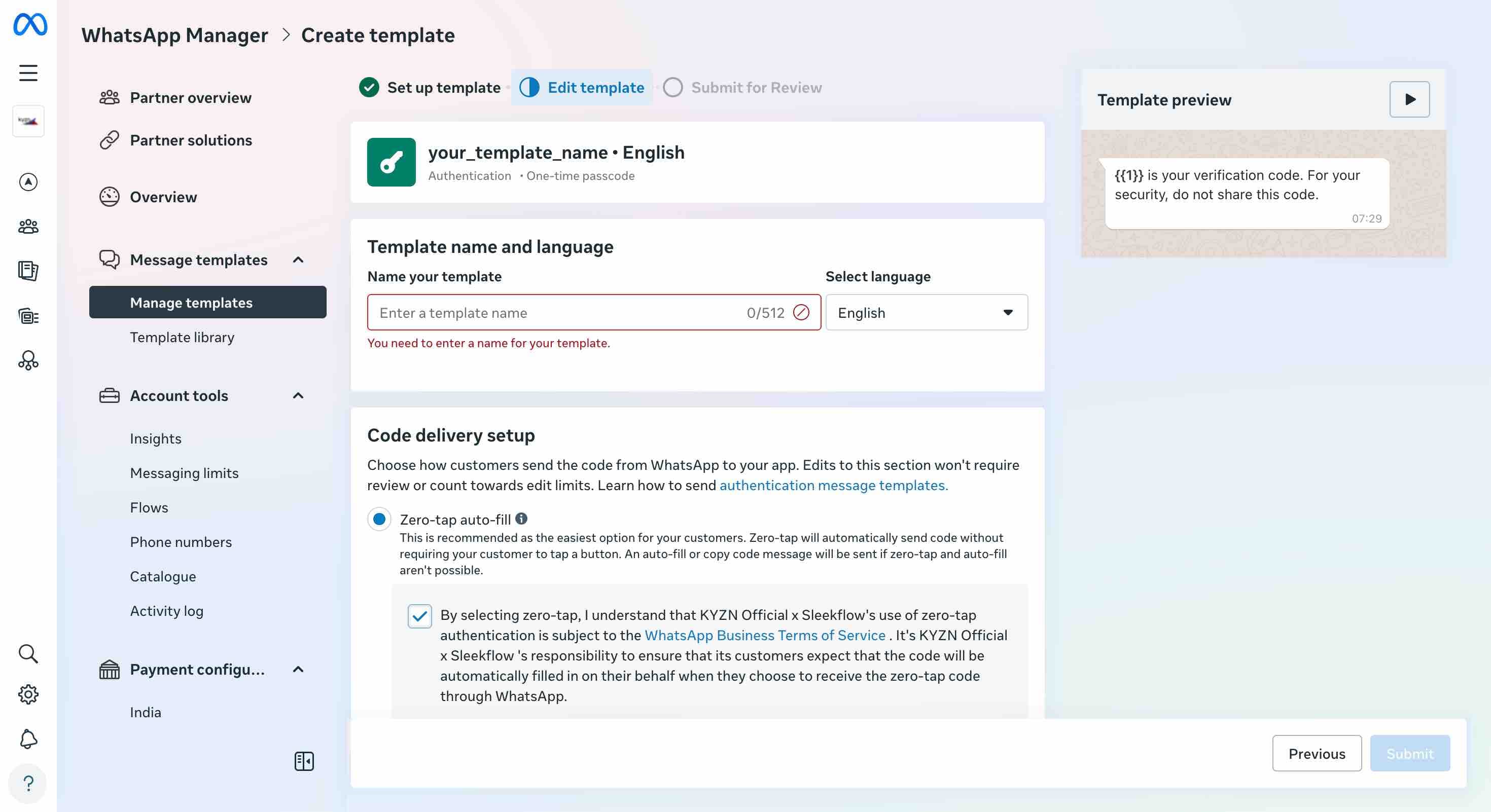
Buat Template di Meta
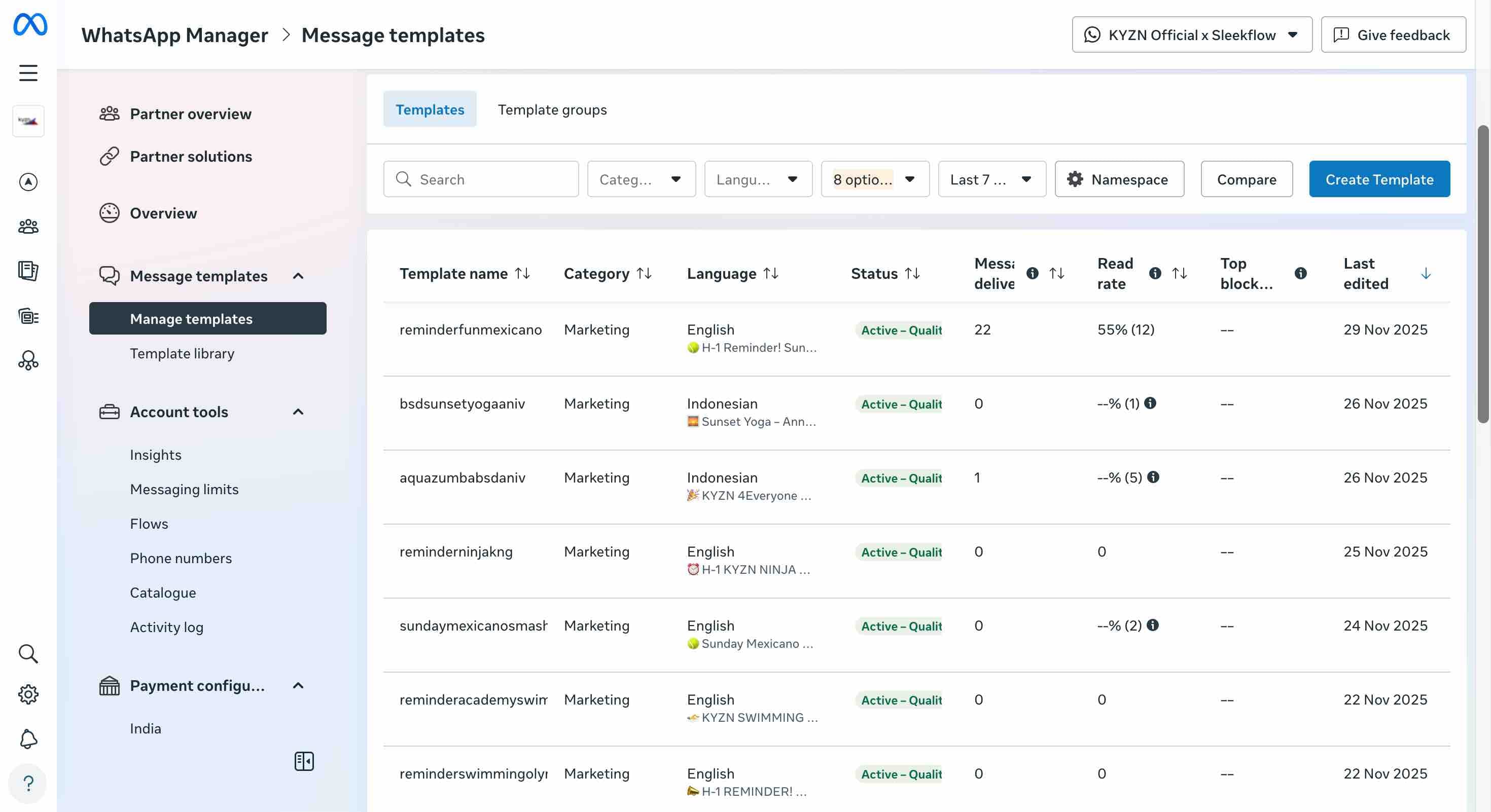 Buka WhatsApp Manager, klik Create Template, pilih Authentication Template, lalu isi fields sesuai kebutuhan.

Konfigurasi Sleekflow
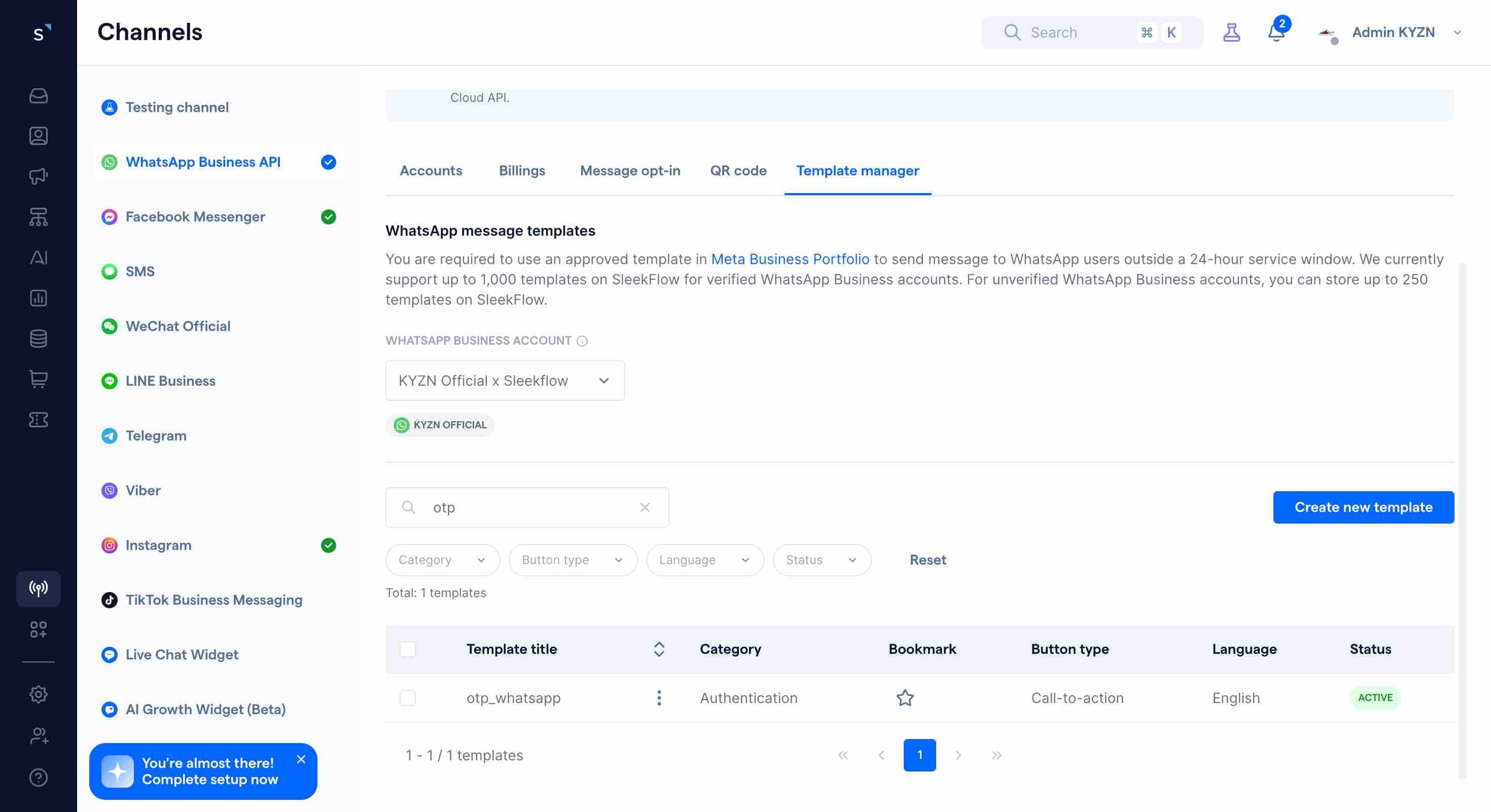
Buka Sleekflow Channels, pilih WABA yang sama, gunakan format Platform API Integration:
{
  "whatsappCloudApiTemplateMessageObject": {
    "language": "en",
    "templateName": "otp_whatsapp",
    "components": [
      {
        "type": "BODY",
        "parameters": [{ "type": "text", "text": "{{1}}" }]
      },
      {
        "type": "button",
        "sub_type": "URL",
        "index": 0,
        "parameters": [{ "type": "text", "text": "{{1}}" }]
      }
    ]
  }
}
Setup Environment Variables
SLEEKFLOW_API_KEY=your_api_key
SLEEKFLOW_API_URL=https://api.sleekflow.io/api/message/send/json
SLEEKFLOW_SENDER_PHONE=628118601000
SLEEKFLOW_CHANNEL=whatsappcloudapi
SLEEKFLOW_TEMPLATE_NAME=otp_whatsapp
SLEEKFLOW_TEMPLATE_LANGUAGE=en
SLEEKFLOW_TEMPLATE_NAMESPACE=your_namespace
SLEEKFLOW_TEMPLATE_HAS_BUTTON=true
SLEEKFLOW_TEMPLATE_NAMESPACE hanya diperlukan untuk channel 360Dialog.
Payload API
{
  "channel": "whatsapp360dialog",
  "from": "628118601000",
  "to": "6281234567890",
  "messageType": "template",
  "extendedMessage": {
    "whatsapp360DialogTemplateMessage": {
      "templateName": "otp_whatsapp",
      "templateNamespace": "your_namespace",
      "language": "en",
      "components": [
        {
          "type": "BODY",
          "parameters": [{ "type": "text", "text": "123456" }]
        }
      ]
    }
  }
}
Untuk channel non-WhatsApp template:
{
  "channel": "sms",
  "from": "628118601000",
  "to": "6281234567890",
  "messageType": "text",
  "messageContent": "Your OTP code is: 123456"
}
API Request
POST https://api.sleekflow.io/api/message/send/json
Content-Type: application/json
X-Sleekflow-Api-Key: <API_KEY>Last Update: 10 Januari 2026 pukul 00.47